DT Nexus Live Demo Recap: Color Negative Inversion, AI Crop, & Real Workflow Automation
If your digitization workflow currently runs through four or five different pieces of software — one for camera control, one for profiling, one for cropping, one to check FADGI compliance — you’re not alone, and you’re not doing anything wrong. That’s simply what happens when a workflow gets built one off-the-shelf tool at a time. It’s exactly the problem DT built DT Nexus to solve, and it’s what our team showed live, on real collection material, in last week’s DT Nexus Live Demo webinar.
Hundreds of people from institutions around the world joined to watch Doug Peterson (DT’s Head of R&D) and Ben Cort (Technical Support Manager) run four real case studies and take live questions for over 90 minutes. If you missed it — or want to jump back to a specific segment — the full recording is below.
See DT Nexus in Action
What DT Nexus Actually Does
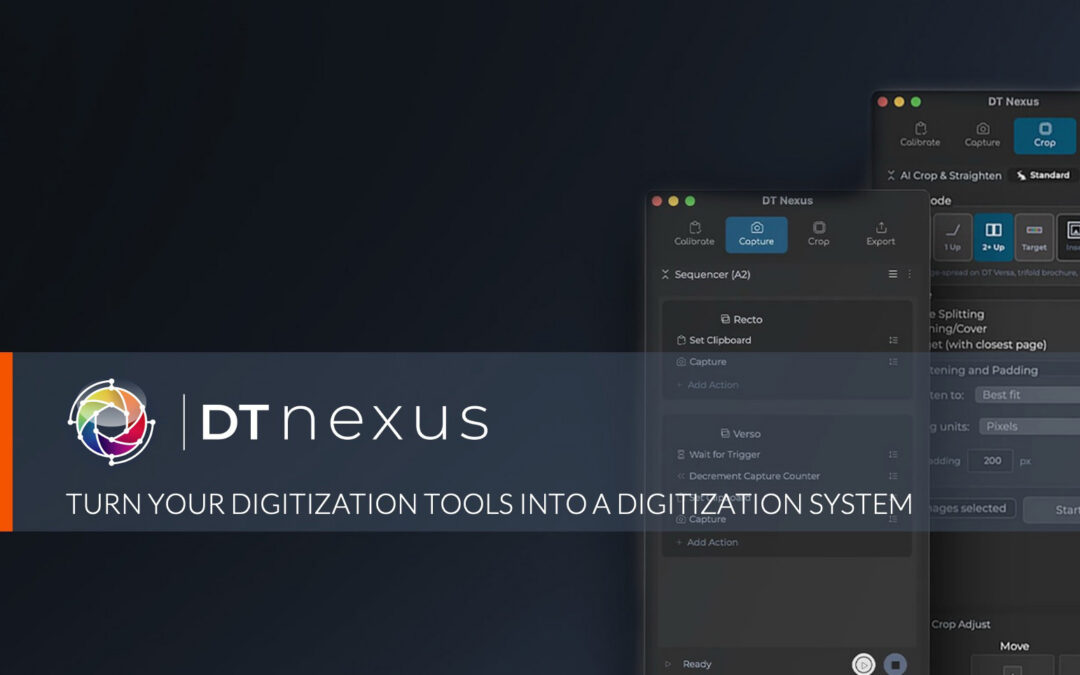
DT Nexus is the command-center software layer that sits alongside Capture One CH, coordinating your camera, your DT Stellar lighting, your profiling and validation, and your AI-powered cropping from one interface. It doesn’t replace your capture software — it removes the extra software, the manual re-entry, and the guesswork that normally sits around it. As Doug put it during the demo, the goal is simple: fewer clicks, fewer calls, and better quality when managing your digitization program.
Four Case Studies, Not Just a Feature List
Rather than clicking through a features slide, Doug and Ben ran four real workflows live
1. Using the Sequencer on Slide film: One foot pedal, two modalities
Capturing a mounted slide both reflectively (to catch handwritten notes on the mount) and transmissively (for the image itself) usually means manually toggling lights, changing shutter speed, and renaming files for every single slide. Using Nexus’s Sequencer, Ben set up both captures once, then triggered the entire sequence — lights, exposure, file naming, and counter — with a single foot-pedal press. Doug’s math on why that matters at scale: at a wildly optimistic four seconds per manual switch, doing that by hand across a million-slide collection is roughly a month of labor spent on nothing but decrementing counters and flipping lights. The Sequencer eliminates those time costs.
2. Color Negative Inversion (CNI) with the new DT Stellar RGBW Lights
This was the headline moment of the demo, and it’s worth watching in full. Color negative film was never designed to be looked at directly – it’s a set of physical spectral filters designed to interact with a specific light and photographic paper. Standard white-light capture and after-the-fact color correction can only approximate the right answer, because they start from the wrong color and work backward. With the DT Stellar RGBW, Nexus calibrates the light’s spectral output to the specific film emulsion in front of the camera (a process that takes under a minute per emulsion, not per frame) so the color is formed correctly at the hardware level. The difference, shown side by side on real film shot at Yellowstone National Park, wasn’t subtle.
3. AI Crop & Straighten in a real batch workflow
See why Nexus’s AI crop is a game-changer. Using loose material images shared by the Swiss National Library, Doug demonstrated AI Crop & Straighten identifying the correct object in frame, not just the “largest rectangle,” across 160+ images, then chaining that into two parallel exports: one set with the calibration target included, one without, each automatically named and routed to its own folder. It’s the same output you’d get from manually cropping, straightening, and re-exporting every image twice, all done in one pass.
4. Raking light + AI Crop for irregular objects
For a set of vintage postage stamps, Ben used the Sequencer to automatically switch between standard and raking light. The raking pass immediately reveals creasing and condition issues invisible under flat lighting, with no manual light changes required. AI Crop then separated four stamps captured in a single frame into four correctly cropped, correctly named files automatically.
Community-built, on purpose
Every feature above — the Sequencer, AI Crop, color negative inversion — came from requests made by the digitization community and DT’s own service team. Nexus 1.2, currently entering beta, adds more, including custom keyboard shortcuts, requested directly by a client institution. If there’s something your workflow needs, DT wants to hear about it at info@digitaltransitions.com.
What’s Coming Next
Everything shown in the demo is live today. Nexus 1.2, now in public beta, adds OECF linearity validation, Sequencer support for Python and AppleScript for external integrations, and custom light-group shortcuts. After that, DT has committed to AI Crop for Film, automatic exposure/white balance during calibration, and post-processing batch actions in the Sequencer. Doug also previewed two features still gathering community feedback before DT commits to them: one-click color-negative-to-positive DNG export (already working in early testing), and an alpha version of AI Crop for Film that correctly identifies individual frames on a contact sheet, including overlapping exposures.
See It on Your Own Material
Reading about a workflow and running it on your own collection are two different things. DT Nexus is available today with a free 90-day trial — one per institution, no strings attached — so your team can test it against your actual material, your actual camera, and your actual throughput needs before making any decision.
nexus.digitaltransitions.com — one free trial per institution.
Have a question that didn’t get answered live, or want to be one of the institutional partners helping test color negative inversion or AI Crop for Film? Reach out any time at info@digitaltransitions.com. We mean it when we say this community shapes what we build next.