
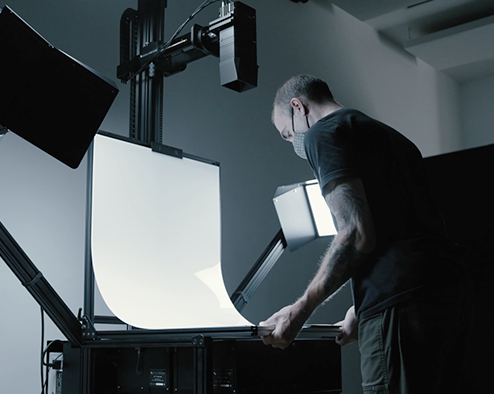
Large-scale digitization initiatives require more than imaging equipment. Successful programs depend on careful lab design, workflow planning, staffing models, and infrastructure capable of supporting sustained production. Institutions digitizing millions of items must think of their imaging environments as production systems rather than individual workstations.
This article outlines the core principles for designing a high-volume digitization lab that can deliver consistent, preservation-grade results at scale.
Plan the Physical Workflow
Lab layout should follow the physical movement of materials through the digitization process from beginning to end: intake and condition assessment, preparation and staging, image capture, quality assurance, metadata processing, and rehousing and return to storage. Designing clear, sequential workflow zones minimizes handling confusion, reduces the risk of materials being misplaced or damaged in transit between stages, and prevents the bottlenecks that quietly kill throughput in otherwise well-equipped labs.
Separate Production and QA Areas
Quality assurance should be performed in a dedicated review space separate from capture stations. This ensures consistent evaluation lighting, access to calibrated review monitors, and a distraction-free environment for reviewers. Separation also maintains the objectivity of the validation process — reviewers assessing output in the same physical and psychological environment as production tends to reduce the rigor of review over time.
Standardize Capture Stations
High-volume labs benefit significantly from standardized equipment configurations. Each capture station should have an identical lighting setup, matching camera systems, standardized lens choices, calibrated monitors, and a consistent workstation layout. Standardization simplifies operator training, reduces variance between shifts, and makes it far easier to diagnose the source of quality issues when they arise — because the variables have been controlled.
Standardization is easier when one camera covers more of the collection. The DT iXH 250MP, for example, captures A0 materials at 400ppi while also handling extreme close-up work — letting labs equip every station identically rather than maintaining specialized configurations per material type.
Model Throughput Before Implementation
Production modeling helps institutions estimate realistic output capacity before committing to lab design and staffing decisions. Important variables include items captured per hour per operator, number of active stations, operator shift schedules, QA review capacity, and post-processing workload. Throughput modeling is not just a planning exercise — it prevents the downstream bottlenecks that emerge when capture capacity outpaces QA review, or when post-processing pipelines can’t keep pace with daily output.
Camera choice is a throughput variable, not just a quality one — a 247MP system like the iXH 250MP covers more area per capture at any target PPI, reducing repositions and eliminating stitching for many oversized materials.
Integrate Automation Where Possible
Automation can significantly improve production efficiency and reduce the operator error that compounds over long production runs. Practical examples include barcode-based file naming, automated cropping and deskewing, batch metadata ingestion, and scripted file transfer to storage systems. Each automated step removes a repetitive manual task from the operator’s workload — and in high-volume environments, even small per-item time savings translate into substantial gains across a full production cycle.
Build Scalable Storage Infrastructure
High-volume capture produces large datasets quickly. Storage planning should account for master file sizes, redundant backup storage, long-term preservation systems, and the network bandwidth required for file transfers between capture stations, QA workstations, and archive storage. Storage infrastructure must be designed to scale alongside capture capacity — a common failure mode is labs that invest heavily in capture infrastructure but treat storage as an afterthought until it becomes a production constraint.
Design for Program Growth
Digitization programs frequently expand beyond their initial scope — through new grants, growing collections, or institutional momentum. Flexible lab design should allow for additional capture stations, modular lighting systems, expandable server infrastructure, and additional QA capacity without requiring a full facility redesign. Planning for growth from the outset is nearly always less expensive than retrofitting a lab that was built only for its day-one requirements.
Conclusion
High-volume digitization programs succeed when imaging is treated as a structured production system. Thoughtful lab design, standardized equipment, workflow automation, and throughput planning enable institutions to digitize large collections efficiently while maintaining the technical and preservation standards that make those collections genuinely useful for the long term.
More Information
For more information or a free consultation on high-volume digitization lab design for your institution, contact us.
Related resources